Themepack - Icons and Widgets
App CrazePersonalization
4.610.00 Reviews
- Version
- 69.0
- Installs
- 500.00K
- Age Rating
- Everyone
Screenshots
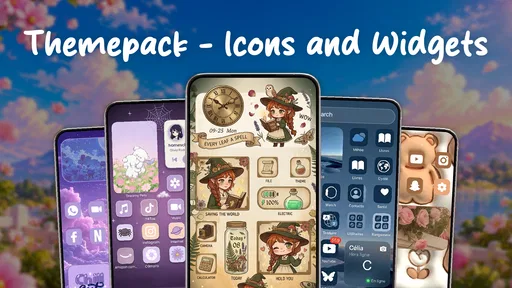
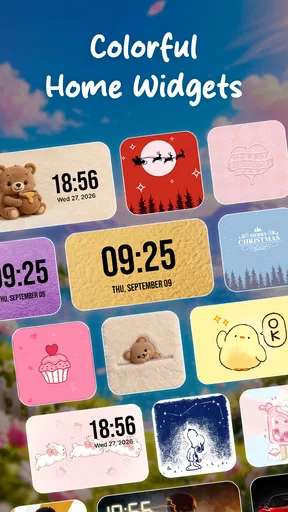
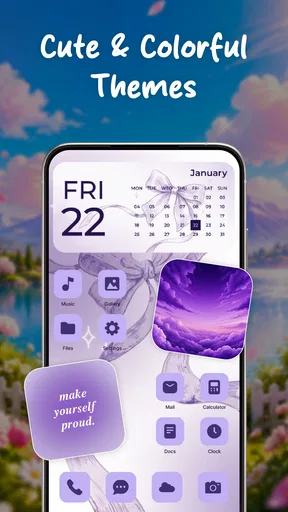
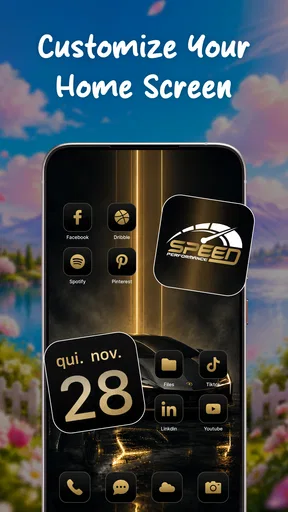
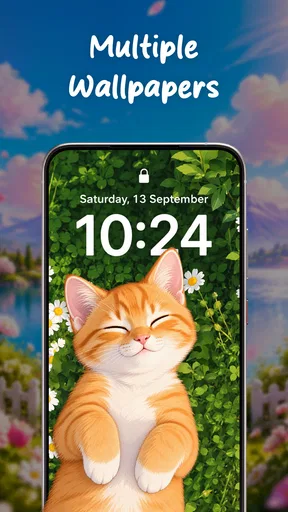
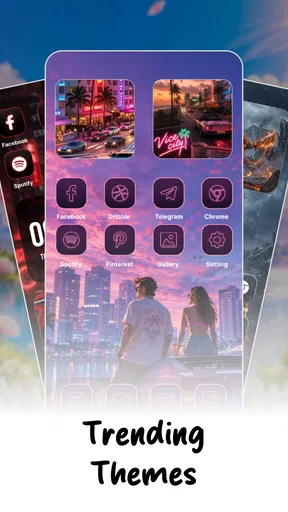
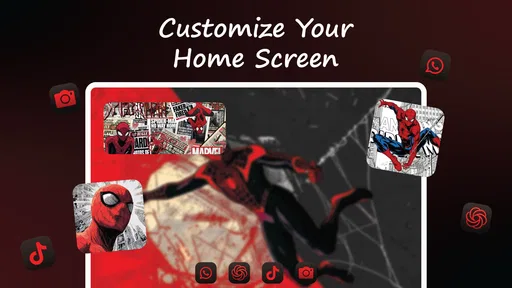
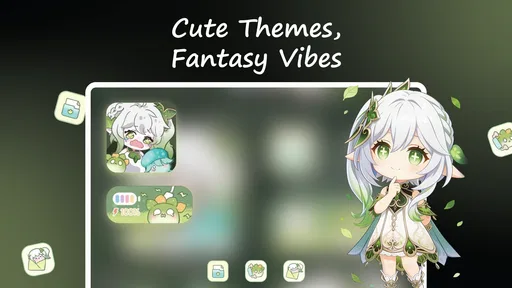
Our Review of Themepack - Icons and Widgets
 Analysis by Appyee
Changing the look of a phone can be surprisingly satisfying, but it can also become a fiddly project involving separate icon packs, wallpapers, launchers, and widgets. Themepack - Icons and Widgets takes a more focused approach: it is a free personalization app from App Craze built around making the home screen feel more coordinated. I found it most appealing when I wanted a visible refresh without spending an evening assembling every element from unrelated tools.
The app is aimed at Android users who care about appearance but do not necessarily want to learn the deeper settings of a custom launcher. Its store summary promises easy customization with icons, themes, and widgets, and that description matches the basic appeal I experienced: the starting point is visual rather than technical. It is available to users rated Everyone, supports Android 8.0 and later, and has reached over 500 thousand installs. That gives it a broad audience, although the real question is whether its convenience is more valuable to you than the control offered by a full launcher setup.
How I would decide whether Themepack is right for me
My first decision criterion is how much of the phone I want to change. If I only need a new wallpaper, downloading a dedicated wallpaper app is simpler. If I want detailed grid control, gesture behavior, folders, app hiding, and extensive icon editing, a mature custom launcher is usually the stronger category. Themepack sits between those choices. It makes the visual layer the priority, which is useful for someone who wants a recognizable style without turning the home screen into a long-term customization hobby.
The second criterion is consistency. A home screen can look untidy when the wallpaper has one mood, the icons have another, and the widgets use a third visual language. I would judge this app by how quickly it helps create a coherent combination. The value is not just having more decorative items; it is reducing the number of decisions needed to make those items work together.
I would also consider how often I change my setup. For a person who experiments every week, a dedicated launcher with broad manual controls may be more satisfying. For someone who changes the phone’s appearance only when the current design feels stale, an app centered on ready-made personalization is easier to justify. The best fit depends less on technical ability than on whether you prefer guided choices or complete freedom.
There is another practical question: will the result remain usable? A beautiful home screen is not successful if important apps become hard to recognize or if decorative widgets push essential shortcuts out of reach. I paid attention to that trade-off while considering the app. The most effective setup is usually not the most crowded one. I prefer using a theme as a starting point, then keeping only the shortcuts and widgets I actually touch every day.
The app is free to install, with optional in-app purchases ranging from $0.99 to $19.99 per item. That makes trying the basic experience relatively low-risk, but I would still decide what I am willing to pay for before becoming attached to a particular visual style. A free starting point is helpful; it does not automatically mean every desirable customization is included without cost.
The first setup is best treated as a draft
My advice is not to replace everything immediately. I would begin with one home-screen page, choose a visual direction, and check whether the icons remain recognizable at a glance. This small test reveals more than a quick look at a theme preview. It also avoids the common mistake of applying a complete style and then discovering that the calendar, messaging, or banking shortcuts are less convenient to find.
A useful workflow is to take a screenshot of the current layout before experimenting. That gives me a simple way back if the new arrangement feels slower. I would then place the most frequently used apps in familiar positions and use the theme elements around them rather than allowing decoration to dictate the whole layout. This is a small but important distinction: the phone should look different without making routine actions feel unfamiliar.
Widgets deserve separate attention. They can make a home screen feel finished, but they also consume space and can compete with app icons. I would start with one widget that solves a real problem, such as giving quick access to information I check often, and only add another if it improves the screen rather than filling an empty area. The strongest result is usually a restrained one.
Where the app wins over a pieced-together setup
The clearest strength is the way it brings icons, themes, and widgets into the same personalization conversation. When I use separate tools, I have to compare styles manually and accept that each creator may use different spacing, colors, or visual weight. Themepack is more attractive when I want to browse toward a unified look instead of designing every detail myself.
That matters in everyday situations. Imagine buying a new phone and wanting it to feel personal before the default arrangement becomes a habit. I would use this app to establish a simple home screen during the first setup: a coordinated icon treatment, a widget that earns its space, and a theme that makes the device feel less generic. I would leave the essential shortcuts in their usual positions, then refine the appearance after using the phone normally for a few days.
It can also help when the phone feels visually tiring rather than technically outdated. A small change in icons and widgets may be enough to make the device feel refreshed. In that situation, the advantage is speed. I do not need to redesign every screen or learn a new navigation system just to get a different atmosphere.
Another non-obvious benefit is that a themed arrangement can expose clutter. When I place icons into a more deliberate visual system, duplicate shortcuts and rarely used apps stand out. I can then remove distractions instead of simply decorating them. The app becomes more useful when I treat customization as a chance to edit the home screen, not just cover it with new graphics.
The developer, App Craze, has positioned the product in a popular part of Android personalization, and the audience response is encouraging: it holds a 4.6 average from around 4.5 thousand ratings. I would not treat that score as a guarantee that every phone will behave identically, but it does suggest that the central idea connects with many users. The current version is 69.0, so the app is not presented as an abandoned experiment.
Small choices that make the result more practical
I would use visual contrast as a usability test. Dark icons on a pale background, or pale icons on a dark background, are usually easier to scan than a design where everything has similar brightness. If a theme looks attractive in a preview but makes labels and symbols blend together on my display, I would reject it. Personalization should survive real use in daylight, not only look good in a screenshot.
I would also avoid changing the location of essential apps at the same time as their appearance. When both position and icon design change, it becomes harder to tell whether the theme is inconvenient or whether I simply need time to adjust. Keeping the layout stable lets me judge the visual change on its own.
For widgets, I would check the home screen after a normal day rather than immediately after installation. A widget that looks elegant may still be too large, too prominent, or redundant with information already available elsewhere. This is where a minimalist arrangement can outperform a more elaborate theme. The app gives me the ingredients, but I still have to edit the final composition.
I would also keep a fallback arrangement on another page if I am making a dramatic change. That is especially useful for workdays, travel, or situations where I need quick access to familiar shortcuts. A themed page can be expressive, while a plain page can remain functional. Using both is often more practical than forcing one design to serve every context.
Where a launcher or simpler tool may fit better
Themepack is not the obvious choice for everyone. If I want to rebuild the entire interaction model of Android, I would look toward a launcher designed around behavior as well as appearance. Launcher-focused alternatives generally make more sense for people who care about app-drawer organization, gestures, screen grids, folder behavior, or detailed placement rules. I would not choose a visual customization app expecting it to replace that broader category.
A separate icon pack may be preferable for someone who already has a favorite launcher and only wants to change symbols. In that case, adding a new app with themes and widgets could introduce an extra layer where none is needed. The same applies to users who already have a reliable widget tool and a carefully tuned home screen. The more established my setup is, the less benefit I may get from switching.
There is also a difference between guided design and manual design. Themepack is more appealing if I appreciate a curated direction and want to reach a finished look quickly. A manual approach is better if I have a very specific color palette, need unusual icon substitutions, or enjoy adjusting every element independently. Neither preference is superior; they simply lead to different tools.
I would skip this app if my main goal is performance management, privacy controls, productivity automation, or system-level changes. Its role is visual personalization. It can make a phone feel more like mine, but it does not turn a basic device into a fundamentally different operating environment. Keeping that boundary clear prevents disappointment.
Compatibility is another reason to test before committing to a full redesign. The app supports Android 8.0 and later, which covers a wide range of devices, but Android home-screen behavior can still vary by manufacturer and launcher. I would begin with a limited change and make sure the result behaves as expected on my particular phone. That is more sensible than changing every page at once and troubleshooting a large setup afterward.
The real cost of switching
The financial entry point is straightforward because the app is free, but switching has another cost: time. Replacing icons, arranging widgets, and deciding what belongs on the first page can take longer than expected. I would only invest that time if I have a clear goal, such as reducing clutter or creating a calmer home screen. Without a goal, browsing themes can become an endless cycle of changing designs without improving daily use.
Optional purchases deserve a deliberate approach. The price range is wide enough that I would not tap through casually just because a particular style looks appealing. I would first use the free portion, live with the arrangement, and decide whether the extra visual polish is worth paying for. A theme is a cosmetic purchase, so my standard would be simple: it should continue to feel useful after the novelty fades.
The switching cost is lower when I preserve my original layout and higher when I reorganize the entire phone. I would document the positions of important apps, keep the first page uncluttered, and make changes in stages. This also makes it easier to identify the source of any frustration. If the phone feels slower to navigate, I can undo the last change instead of abandoning the whole experiment.
One trade-off I noticed with this kind of app is that visual uniformity can reduce individuality if I accept a theme exactly as presented. The quickest result may look polished, but it can also resemble a template. My preferred method is to use the theme as a base, then remove elements that do not suit my habits. That extra editing step is where the phone starts to feel personal rather than merely decorated.
For a shared or family device, I would be cautious about making the layout too stylized. Another person may rely on familiar icon shapes or positions, and a dramatic redesign can create unnecessary confusion. On my own phone, the freedom is greater. On a device used by several people, clarity should win over visual novelty.
Who should install it, and who should pass
I would recommend Themepack - Icons and Widgets to an Android user who wants a quick visual reset, likes coordinated home-screen designs, and does not want to assemble a complete setup from several unrelated apps. It is especially suitable for a first personalization project, a new phone setup, or a small refresh when the default interface feels dull. The Everyone content rating also makes it approachable for a broad audience.
I would be more selective for advanced Android users. If I already depend on a highly customized launcher, carefully designed widgets, and a manually maintained icon system, the app may offer less value than the tools I already understand. I would also pass if I dislike optional purchases in personalization apps or if I want deep control over behavior rather than appearance.
My practical recommendation is to begin modestly: test one theme on one page, keep vital apps in familiar places, and judge the setup after using the phone during normal routines. Pay attention to recognition speed, widget usefulness, and whether the design still feels comfortable after the first impression. If those checks go well, expanding the style is reasonable. If not, a launcher or a single-purpose icon tool may suit you better.
Overall, I see this as a convenient entry into Android home-screen customization, not a replacement for every personalization category. App Craze has made the central idea easy to understand, while the 4.6 average and more than 500 thousand installs show that the approach has found a substantial audience. The free starting point makes experimentation accessible, and the optional purchases mean I can decide later whether a particular look deserves more investment.
My final recommendation is to try it if your priority is a coordinated appearance with minimal setup. I would choose another route if my priority is advanced launcher control, highly specific icon editing, or a completely behavior-focused redesign. Used with restraint, Themepack can make a familiar phone feel fresh without turning customization into a technical project, and that is exactly where I think it works best.
Verdict
Strengths of Themepack - Icons and Widgets
- Large icon library with styles for many Android home screens.
- Widget options help create a more complete, matching setup.
- Simple browsing makes it easy to find packs and individual icons.
- Useful for refreshing an older phone without changing the launcher.
- Supports creative customization beyond standard system themes.
Limitations of Themepack - Icons and Widgets
- Some packs or features may require in-app purchases.
- Certain icons may not match every app installed on your device.
- Full customization can depend on launcher compatibility.
- Frequent visual changes may require manual setup and adjustments.
- Themed widgets can use additional battery or home-screen resources.
Similar Picks in This Category
View All
Microsoft SwiftKey AI Keyboard
SwiftKey4.3

Wallpapers
Google LLC4.1

Zedge™ Wallpapers & Ringtones
Zedge4.7

Yandex Browser with Alice AI
Direct Cursus Computer Systems Trading LLC4.3

Ringtone Maker:create ringtone
Big Bang Inc.4.7

Fonts Keyboard
Fonts Keyboard3.9
Frequently Asked Questions
What is Themepack - Icons and Widgets?
Themepack - Icons and Widgets is a customization app designed to refresh the appearance of your Android home screen. It typically combines themed icon packs with matching widgets, wallpapers, and visual elements, allowing you to create a more consistent style without manually searching for every component. The available designs may range from minimal and elegant themes to colorful, seasonal, or more decorative layouts.
How do I apply an icon theme or widget from Themepack?
After installing the app, you generally select a theme or individual design, preview its icons and widgets, and follow the on-screen instructions to apply them. The exact process can depend on your phone manufacturer and launcher. Some devices may require a compatible third-party launcher, while widgets are usually added by long-pressing an empty area of the home screen and selecting the desired Themepack widget.
Is Themepack - Icons and Widgets compatible with every Android phone?
Compatibility can vary between devices, Android versions, and home-screen launchers. Basic wallpapers and some widgets may work on many phones, but automatic icon application is not guaranteed on every launcher. Samsung, Xiaomi, Motorola, OnePlus, and other brands may use different customization systems. Before downloading, check the app listing and confirm that your launcher supports custom icon packs or the required widget features.
Is Themepack - Icons and Widgets free to use?
The app may offer free themes or a limited selection of icons and widgets, while additional designs can require in-app purchases, a subscription, or viewing advertisements. Pricing and available content may change over time, so it is important to review the store listing before installing. Also check whether a trial renews automatically and whether premium features are necessary for the style you want.
Does Themepack affect phone performance or battery life?
A static icon pack or wallpaper normally has little effect on performance, but animated wallpapers, frequently updating widgets, and decorative home-screen elements can use additional battery, memory, or background data. On older or less powerful devices, complex designs may make the launcher feel less responsive. If you notice increased battery usage, remove animated elements and reduce the number of active widgets.
